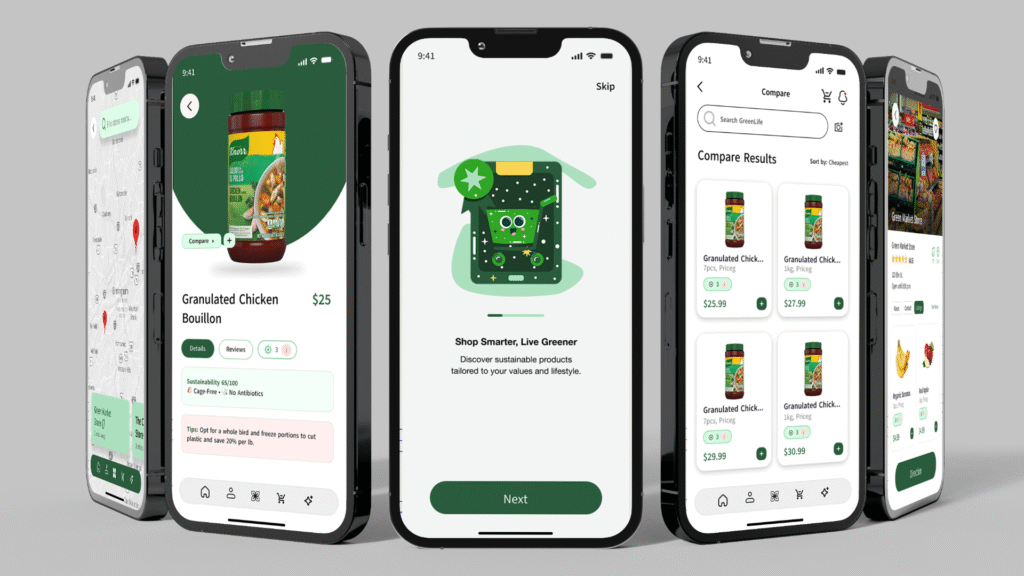
Greenlife
Despite growing awareness of climate change, many consumers especially younger and trend-focused ones still struggle to shop sustainably due to lack of clear, trustworthy information, overwhelming product options, and confusion caused by greenwashing. Simultaneously, eco-conscious small businesses face challenges in reaching the right audience and proving their credibility in a crowded market.
What GreenLife Does
GreenLife is a mobile app that empowers users to make smarter, more sustainable shopping decisions by combining product transparency, gamified motivation, and location-based discovery tools.
Smart Sustainability Filters:
Sort and filter products using eco-labels like Plastic-Free, Cruelty-Free, and Organic.
Verification Badges:
Quick visual indicators that verify a product’s sustainability claims reducing confusion and greenwashing.
Product Comparison Tool:
Easily compare products side-by-side by price, ingredients, and environmental impact.
Barcode Scanner:
Instantly scan items to see sustainability scores and available alternatives.
Local Store Finder:
Discover nearby eco-friendly businesses and receive tailored suggestions.
Eco Points & Rewards System:
Users earn points for verified sustainable purchases and can redeem them for perks boosting long-term engagement.
First Sketches
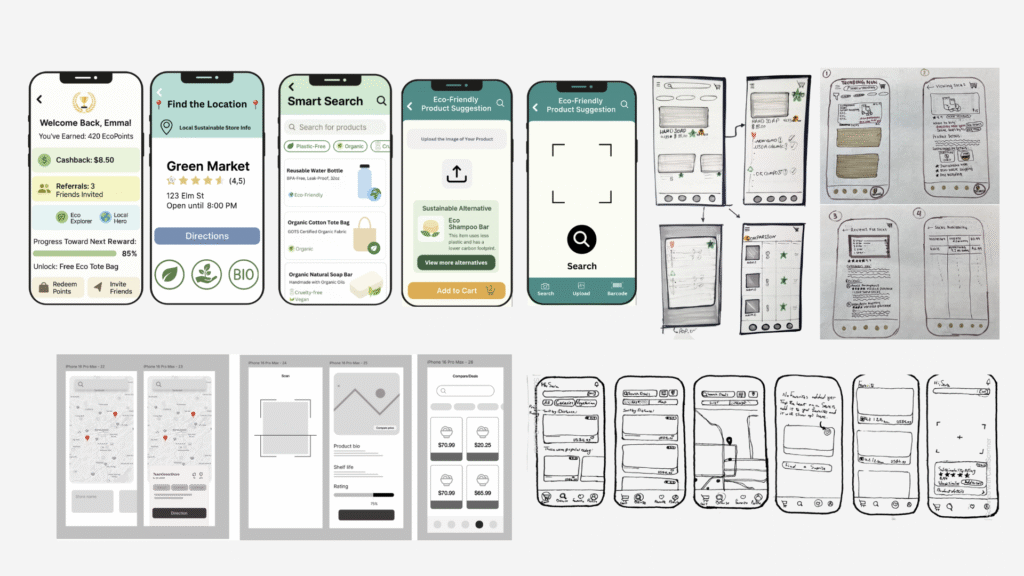
Core components
An app that connects users to affordable, sustainable local stores and products
Access comprehensive resources and stores
Provide a concise summary of online product feedback
Enable shoppers to compare organic options before shopping
Build trust in eco-friendly product claims by integrating verified reviews and certifications
Provide noticeable offers and deals for sustainable products
Highlight sustainable products that are budget-friendly
Designing, Prototyping, Testing
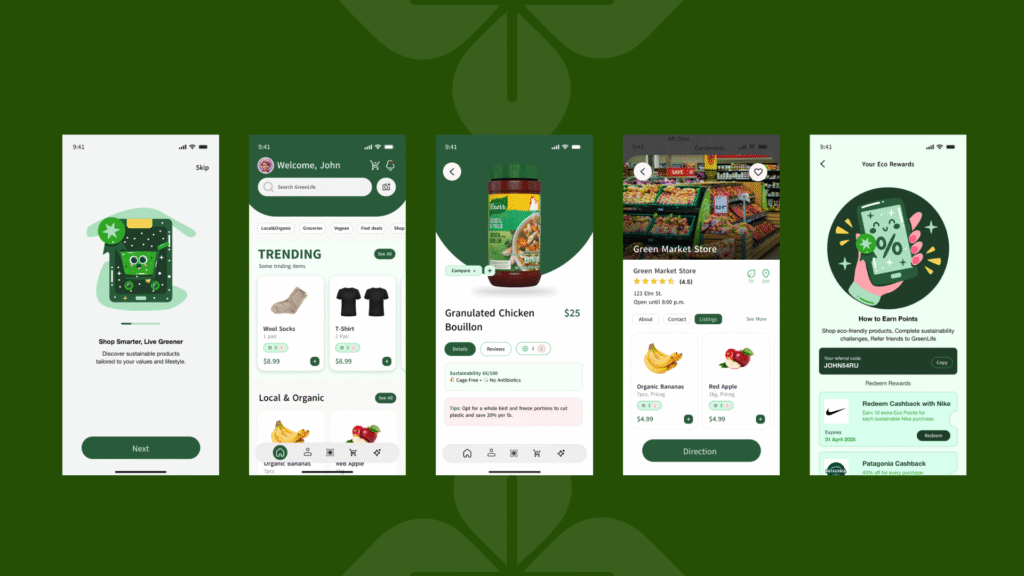
Participant A — 29 | Business Student
He was interested in the feature, especially the verification part, but found the badges a bit confusing.
“The app is easy to interact with I’d get the flow if I explored it a little, like with other apps. But I wish the verification badges were more like the green leaf icon.
Participant B — 28 | Chemistry Student
She appreciated the features, especially the smart search and cashback options, but had trouble locating the sustainability badge.
“The scanner and filters are really helpful I’d definitely use them. But the badge was hard to find, and the text felt a bit small.
Participant C — 25 | Software Engineer
She liked the review sections and enjoyed the scrolling interaction, which was a mix of horizontal and vertical movement.
“I liked the scrolling option, but I wish the reviews were vertical. I also wish the trending section could be linked from the home page.
Participant D — 25 | Graphic Student
He found the app’s features useful especially the comparison and smart search tools but mentioned that the sustainability badges were unclear and looked like settings icons.
I think it’s very useful to have an app that fetches all the data from the internet…
Participant E — 27 | Graphic Student
The participant found the sustainability badge feature really useful for quickly assessing whether a product is eco-friendly.
It’s a good quick way to see if this product satisfies me in terms of being sustainable or eco-friendly.
What we learned
Small design details significantly affect usability.
Clear, intuitive icons and navigation are key to user satisfaction.
Users value both functionality and visual clarity in sustainable apps.
Visual over Text: Font and information overload can reduce usability; design should prioritize clarity and simplicity.
Cashback over Social Sharing: For some users, self-reliant incentives (cashback) work better than social ones (referrals).
Early brand presence matters: Displaying our logo earlier in the app and making the multipurpose icon in the navigation bar more noticeable helps build recognition and trust.